
In order to keep your app up to date, you need to accept the updated terms and conditions in your Apple Developer account. (Your Apple Developer account is what allows your organization to have its app in the Apple Store published under your name or acronym.)
Here’s what you need to do to accept the new terms:
1) Log in to your organization’s Apple Developer Account
2) You'll see a red banner at the top of the page If you’re the account holder:
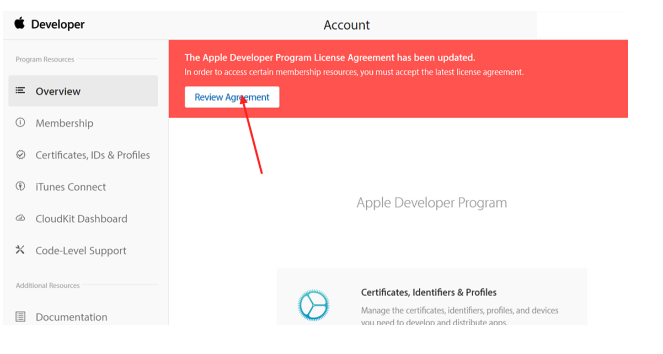
If you’re not the account holder: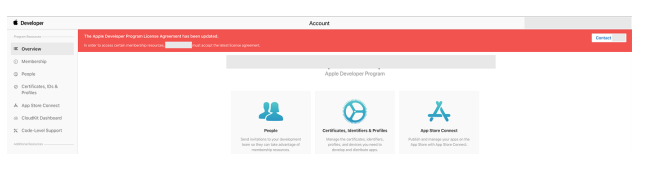
3) Follow the instructions to either accept the latest agreement or contact your account holder. NOTE: If you have more than one conference app, be sure to complete the steps above for each. And you’re all set! If you need help, visit Apple’s Developer Support area.