Apple Requirements
Apple requires each client to register as a Developer in their Apple Developer program. This allows you to have direct access to the App storefront, as well as access to usage and marketing reports for the iPhone App. As an Apple Developer, there are a wide variety of resources on the Apple Developer website which include training resources and videos.
Apple Support is also available to assist your institution through the Developer enrollment:
- Apple Support: http://developer.apple.com/contact/
- Apple Support Phone Number: 800-633-2152
Apple requires all developers present a D-U-N-S Number. Go to https://www.dnb.com/duns-number.html to see if you already have a number or to request a number for free. NOTE: It may take up to 5 days to receive your number. For questions regarding the D-U-N-S Number from Dun & Bradstreet, please feel free to contact them using the emails or phone number listed below:
- Dun & Bradstreet Apple Developer Support: askdeveloper@dnb.com or applecs@dnb.com
- Dun & Bradstreet Support Phone Number: 866-584-0283
Apple ID Creation
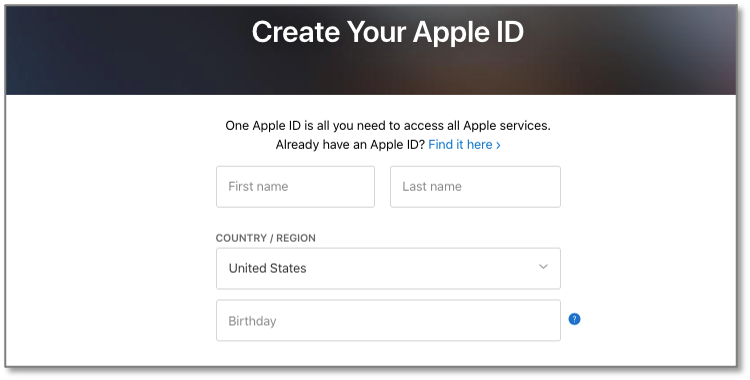
If your organization is new to Apple, you will need to create an Apple ID. NOTE: DO NOT use your personal Apple ID when creating your client Apple ID.
- Go to https://appleid.apple.com/account#!&page=create, fill in the information and click on “Continue”. NOTE: These credentials will be shared with MobileUp for provisioning purposes, so choose a unique password.

Apple Developer Program Enrollment
Once you have created an Apple ID, then you will need to enroll in the Apple Developer Program. Enrollment is $99 USD per membership year. NOTE: If you are a nonprofit organization, accredited educational institution, or government entity based in the United States that will distribute only free apps on the App Store, then you can request to have the fee waived by going to the Apple Waiver Page at https://developer.apple.com/support/membership-fee-waiver/ Apple will review your request and contact you to let you know whether your request is approved.
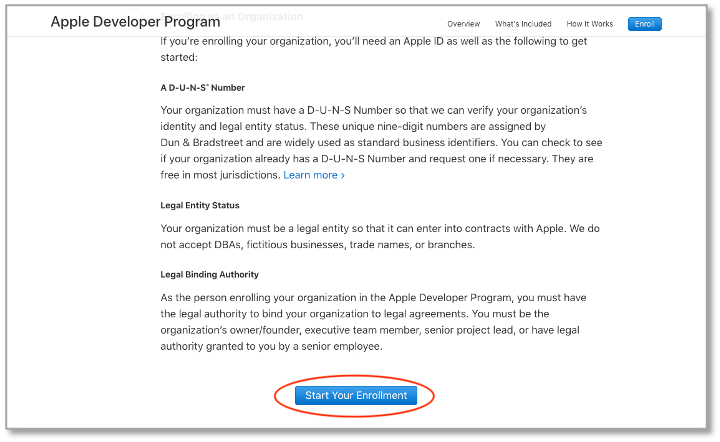
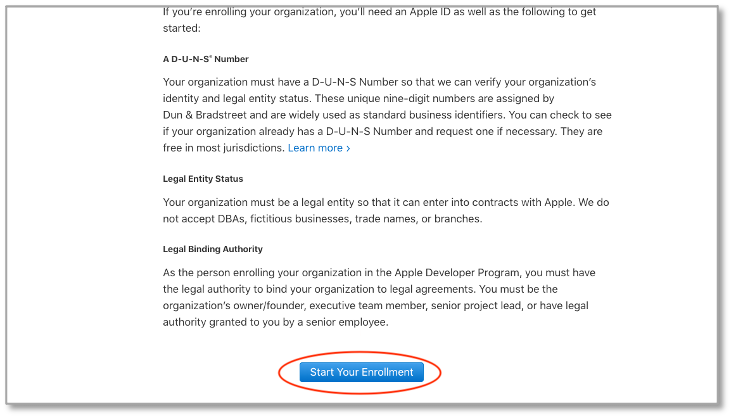
- Go to https://developer.apple.com/programs/enroll/ and click on the “Start Your Enrollment” button at the bottom of the screen.
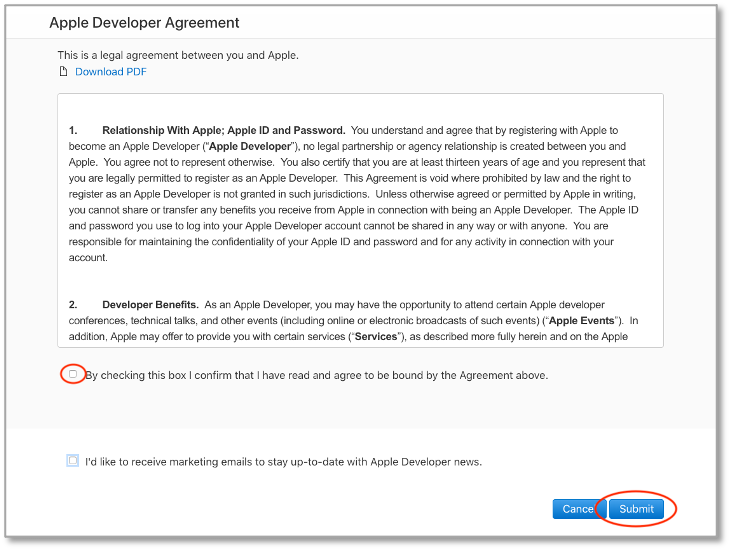
- Review and accept the “Apple Developer Agreement” by checking the box and clicking on “Submit”.
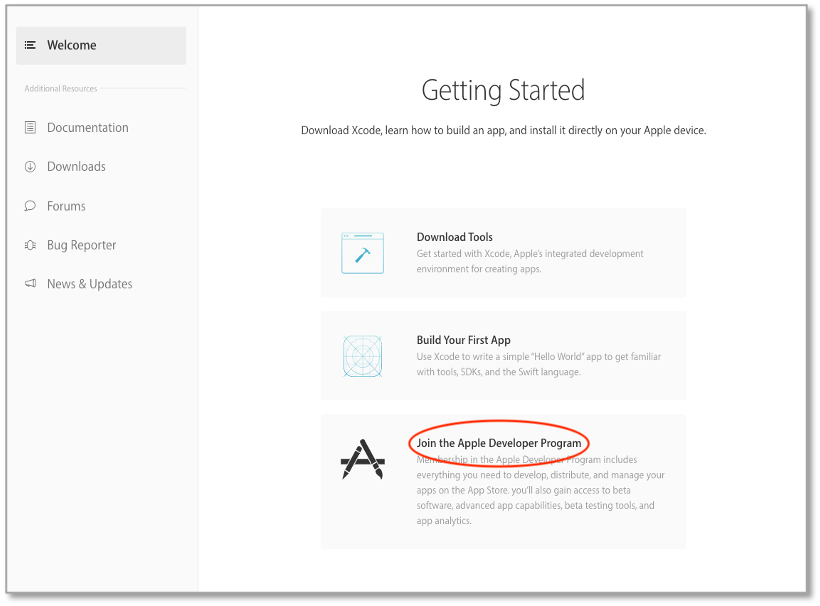
- Click on “Join the Apple Developer Program”.
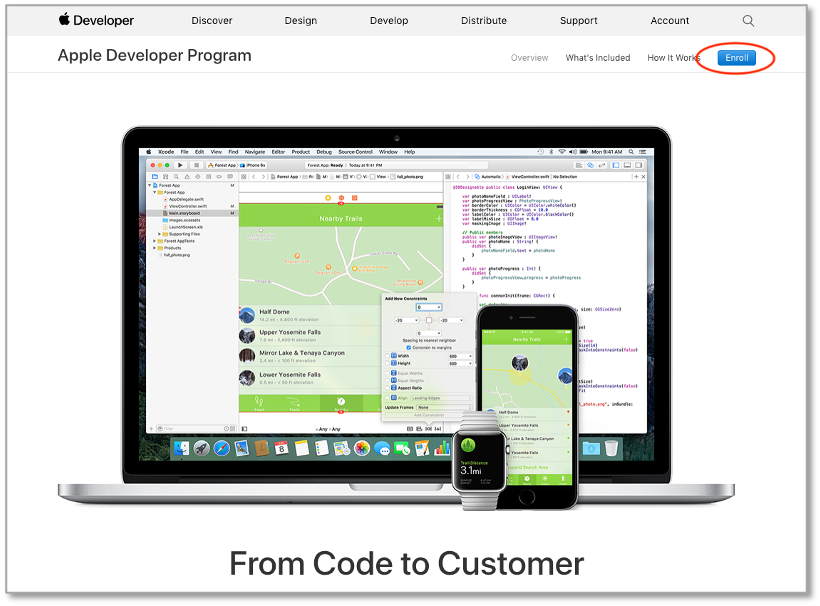
- From the Apple Developer Program information page, click “Enroll”
- Click on “Start Your Enrollment”.
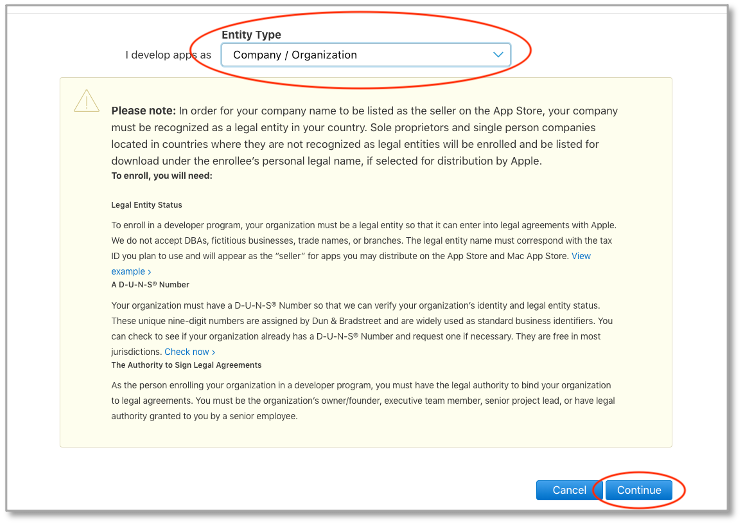
- Under Entity Type, select “Company / Organization” from the dropdown menu, then click “Continue”.
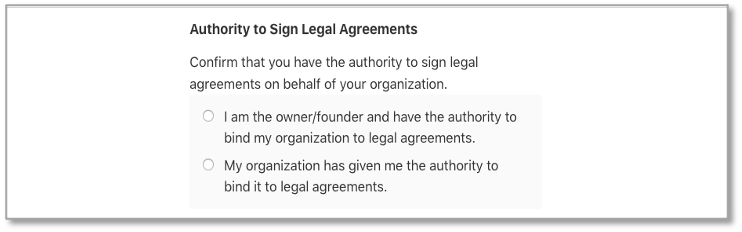
- Under “Authority to Sign Legal Agreements”, select one of the options listed.
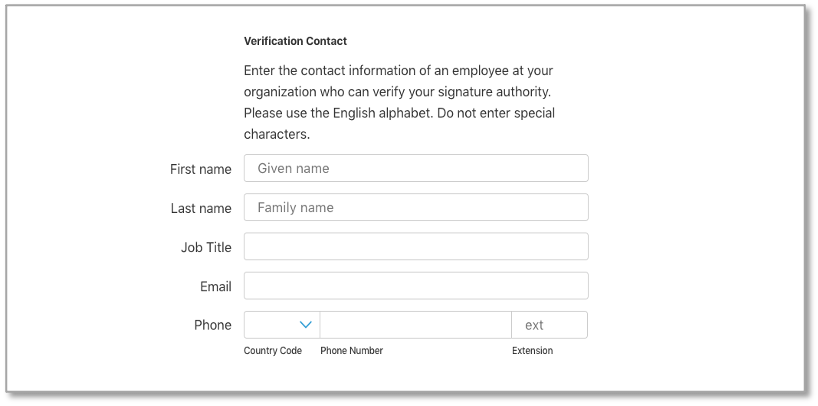
- Under “Verification Contact” enter in the contact information. NOTE: DO NOT use an individual’s assigned email address. Instead create a generic email address, so should that individual ever leave, then you will still be able to access the account.
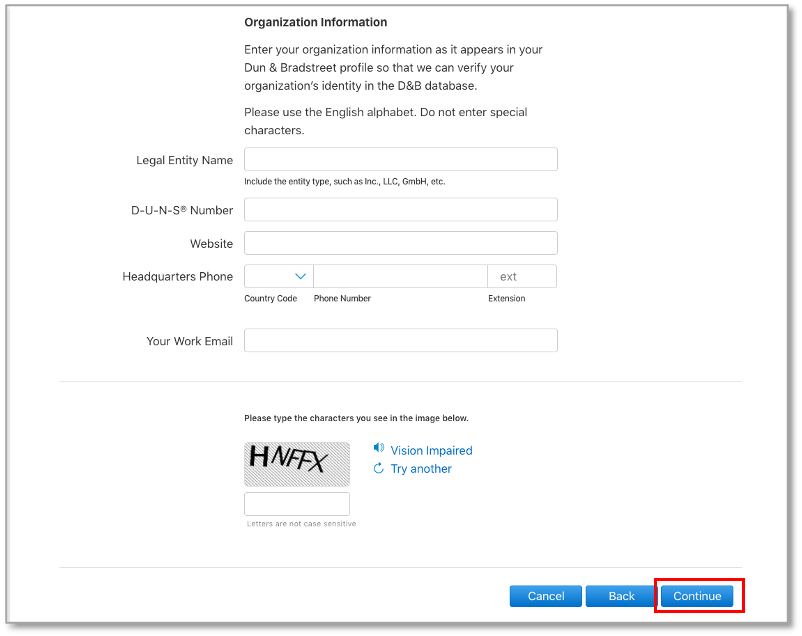
- Under “Organization Information”